The iPad 2 launched in 2011 and reached end-of-life years before Apple's current identifier tables begin. If you are restoring one today, here is exactly which iOS build to use and what to expect from a device this old.
For the identifier system used across every current iPad, see iPad Firmware: IPSW Downloads for Every iPad Model. The iPad 2 predates that guide's tables, which start at the 2017 5th-generation iPad.
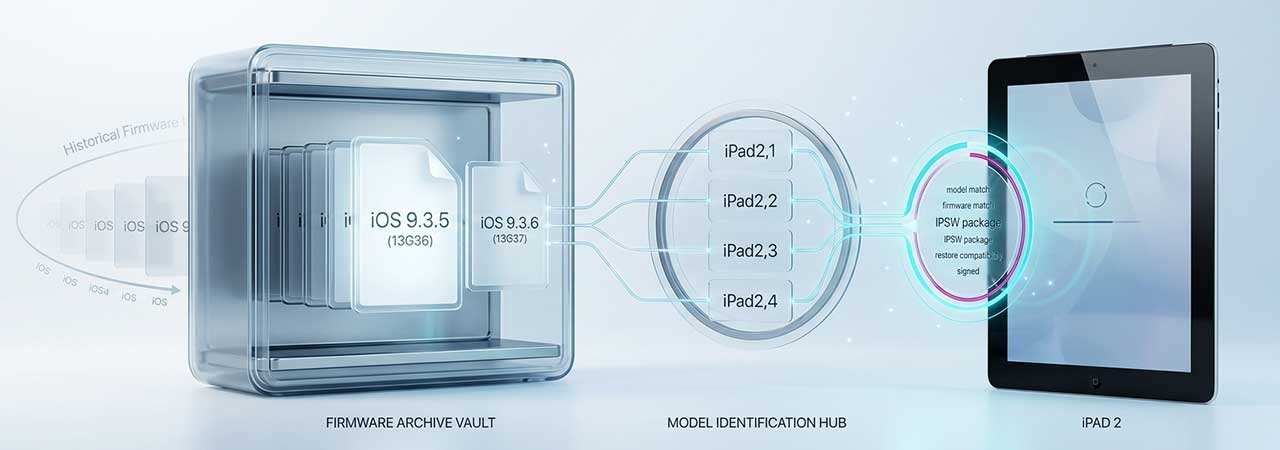
Direct Answer: The last iOS version for the iPad 2 is iOS 9.3.5 (build 13G36) on the Wi-Fi and GSM models, and iOS 9.3.6 (build 13G37) on the CDMA (Verizon) model. No higher version is available on any iPad 2, regardless of configuration.
iPad 2 Model Identifiers
The iPad 2 shipped in four hardware variants. Confirm yours at Settings → General → About → Model Number.
| Model identifier | Configuration | Final iOS | Download |
|---|---|---|---|
| iPad2,1 | Wi-Fi | iOS 9.3.5 (13G36) | iPad2,1 firmware |
| iPad2,2 | GSM | iOS 9.3.5 (13G36) | iPad2,2 firmware |
| iPad2,3 | CDMA (Verizon) | iOS 9.3.6 (13G37) | iPad2,3 firmware |
| iPad2,4 | Wi-Fi (2012 revision) | iOS 9.3.5 (13G36) | iPad2,4 firmware |
Why the CDMA Model Has a Different Final Build
iOS 9.3.6 was a narrow, cellular-only patch Apple released in 2019, well after the rest of the iPad 2 line had already stopped receiving updates at 9.3.5. It only reached the CDMA identifier (iPad2,3). If you own a Wi-Fi or GSM iPad 2, 9.3.5 is correctly your final and only currently signed build — 9.3.6 does not exist for those identifiers and will not appear on their device pages.
What EOL Means for a Device This Old
The iPad 2 stopped at iOS 9 in 2016, which puts it in a different practical category than more recent EOL devices like the iPad Air 2 or iPad (5th gen):
- No 64-bit apps, ever: the iPad 2 has a 32-bit A5 chip. Apple removed 32-bit app support from the App Store years ago, so most current apps cannot install regardless of iOS version.
- No App Store access for practical purposes: the App Store client itself still loads on iOS 9, but the overwhelming majority of listed apps require iOS versions the iPad 2 cannot run.
- Security patching ended in 2019: unlike devices still receiving iOS 16.7.x or iOS 15.8.x security-only updates, the iPad 2's last patch (9.3.5/9.3.6) is itself years past any further updates.
- Realistic use case: a restored iPad 2 functions as a basic media player, e-reader, or offline app device — not as a device for current software.
Currently Signed Build for iPad 2 (Verify Live)
Because the iPad 2 reached end-of-life so long ago, its final build has remained the only signed option for years and is unlikely to change. Confirm current status on your identifier's device page before restoring — see how to check IPSW signing status.
Restoring an iPad 2 Using an IPSW File
- Back up any data you need — restoring erases the device.
- Download the IPSW matching your exact identifier (iPad2,1, 2,2, 2,3, or 2,4). Confirm it is signed.
- Disable Find My iPad: Settings → [Your Name] → Find My → Find My iPad → Off. On very old iOS 9 builds this may appear under Settings → iCloud → Find My iPad.
- Connect the iPad to a Mac or PC via the 30-pin or Lightning cable (depending on revision).
- Open Finder (recent macOS), Apple Devices, or iTunes and select the iPad.
- Hold Option (Mac) or Shift (Windows), click Restore iPad, and select the downloaded IPSW file.
If the device gets stuck during restore, see Boot Loop Fix: Recover Without Losing Data for DFU-mode recovery steps — the same DFU process applies to iPad.
For the full range of iPad models and their identifiers, see iPad Firmware: IPSW Downloads for Every iPad Model. For the two generations after the iPad 2, see iPad 3 & iPad 4 Firmware: Final iOS Versions & IPSW Downloads.
FAQ
What is the last iOS version for the iPad 2?
iOS 9.3.5 (build 13G36) for the Wi-Fi and GSM models (iPad2,1 / iPad2,2 / iPad2,4). The CDMA model (iPad2,3) received one additional patch, iOS 9.3.6 (build 13G37).
Why does the CDMA iPad 2 have a newer build than the Wi-Fi model?
iOS 9.3.6 was a 2019 cellular-only patch that only applied to the CDMA identifier. It is not a general iPad 2 update — Wi-Fi and GSM models never received it and their final build remains 9.3.5.
Can I install iOS 10 on an iPad 2?
No. The iPad 2's A5 chip is not supported by iOS 10 or any later version. This is a permanent hardware limitation.
What is my iPad 2's model identifier?
Check Settings → General → About → Model Number, or match the model number printed on the back of the device to iPad2,1 (Wi-Fi), iPad2,2 (GSM), iPad2,3 (CDMA), or iPad2,4 (Wi-Fi, 2012 revision).
Is the iPad 2 still useful in 2026?
Only for narrow, offline-friendly uses like an e-reader or basic media player. Its 32-bit chip cannot run the vast majority of apps currently on the App Store, regardless of which iOS 9 build is installed.


