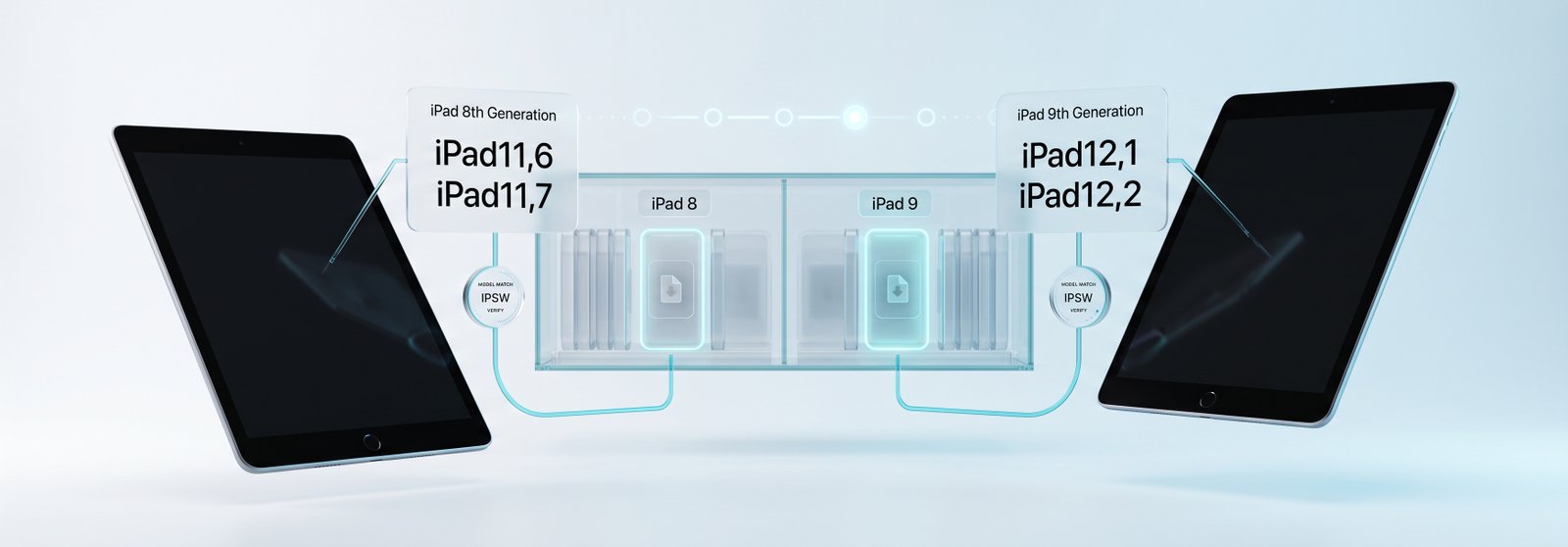
The iPad (8th generation) and iPad (9th generation) have identifiers listed on this site's main iPad guide, but neither has its own dedicated page. Unlike most devices covered on IPSW.io, both are still current — here is exactly how to identify each one and find its live signed build.
For the identifier system used across every iPad, see iPad Firmware: IPSW Downloads for Every iPad Model. For the generations that preceded these two, see iPad 6 & iPad 7 Firmware. You can browse every model from the iPad firmware page.
Direct Answer: The iPad (8th generation, 2020) is iPad11,6 (Wi-Fi) or iPad11,7 (Wi-Fi + Cellular). The iPad (9th generation, 2021) is iPad12,1 (Wi-Fi) or iPad12,2 (Wi-Fi + Cellular). Both remain under active software support — unlike most devices on this site, neither has a permanent final build yet, so always confirm the current signed version on the device page before restoring.
iPad (8th & 9th Generation) Model Identifiers
| Model | Year | A-Number | Model identifier | Configuration | Download |
|---|---|---|---|---|---|
| iPad (8th generation) | 2020 | A2270 | iPad11,6 | Wi-Fi | iPad11,6 firmware |
| iPad (8th generation) | 2020 | A2428, A2429, A2430 | iPad11,7 | Wi-Fi + Cellular | iPad11,7 firmware |
| iPad (9th generation) | 2021 | A2602 | iPad12,1 | Wi-Fi | iPad12,1 firmware |
| iPad (9th generation) | 2021 | A2603, A2604, A2605 | iPad12,2 | Wi-Fi + Cellular | iPad12,2 firmware |
Confirm your identifier at Settings → General → About → Model Number. Both generations share the plain "iPad" name with no number printed on the device, so the identifier is the only reliable way to tell them apart from each other and from the 6th- and 7th-generation models.
Why These Two Are Different From Most Devices on This Site
Most firmware guides on IPSW.io cover end-of-life devices with a fixed, permanent final build. The iPad (8th generation, A12 Bionic) and iPad (9th generation, A13 Bionic) are not in that category — both chips remain within Apple's current minimum hardware requirements, so both devices continue to receive new iPadOS releases. That means there is no single "final build" to report here. Instead, check each identifier's device page for the currently signed version before every restore, since it changes with each new iPadOS release.
Telling the Two Generations Apart
Both shipped as simply "iPad" with a chip name rather than a generation number in Apple's own newer materials, sold a year apart (2020 and 2021), and look similar externally. The model identifier is the only reliable way to distinguish them: iPad11,6 / iPad11,7 is the 8th generation (A12 Bionic), while iPad12,1 / iPad12,2 is the 9th generation (A13 Bionic) — the same chip used in the iPhone 11. The 9th generation also added a slightly improved front camera and support for the (1st-generation) Apple Pencil alongside the existing Smart Keyboard, but the hardware generation and hardware identifier are what determine firmware compatibility.
Currently Signed Builds (Verify Live)
Because both generations are still active, the currently signed build changes over time and should always be confirmed live rather than assumed from this page. See how to check IPSW signing status, then open your identifier's device page for the current signed IPSW.
Restoring an iPad (8th or 9th Generation) Using an IPSW File
- Back up any data you need — restoring erases the device.
- Download the IPSW matching your exact identifier (iPad11,6, iPad11,7, iPad12,1, or iPad12,2). Confirm it is currently signed.
- Disable Find My iPad: Settings → [Your Name] → Find My → Find My iPad → Off.
- Connect the iPad to a Mac or PC via Lightning cable (both generations use Lightning, not USB-C).
- Open Finder (recent macOS), Apple Devices, or iTunes and select the iPad.
- Hold Option (Mac) or Shift (Windows), click Restore iPad, and select the downloaded IPSW file.
If the device gets stuck during restore, see Boot Loop Fix: Recover Without Losing Data for DFU-mode recovery steps — the same DFU process applies to iPad.
For the full range of iPad models and their identifiers, see iPad Firmware: IPSW Downloads for Every iPad Model. For the generations that preceded these two, see iPad 6 & iPad 7 Firmware. You can also browse every model from the iPad firmware page.
FAQ
What is the model identifier for the iPad (8th generation)?
iPad11,6 (Wi-Fi) or iPad11,7 (Wi-Fi + Cellular). The iPad (8th generation) shipped in 2020 with an A12 Bionic chip.
What is the model identifier for the iPad (9th generation)?
iPad12,1 (Wi-Fi) or iPad12,2 (Wi-Fi + Cellular). The iPad (9th generation) shipped in 2021 with an A13 Bionic chip.
What is the final iPadOS version for these two generations?
Neither has a final build yet — both remain within Apple's current minimum hardware requirements and continue to receive new iPadOS releases. Always confirm the current signed version on the device's page before restoring.
How do I tell the iPad (8th generation) apart from the iPad (9th generation)?
Check Settings → General → About → Model Number and match it to iPad11,6/11,7 (8th gen) or iPad12,1/12,2 (9th gen). Both look nearly identical externally and share the plain "iPad" name.
Do the iPad (8th generation) and (9th generation) use Lightning or USB-C?
Both use Lightning. Apple did not move this entry-level line to USB-C until the iPad (10th generation) in 2022.


