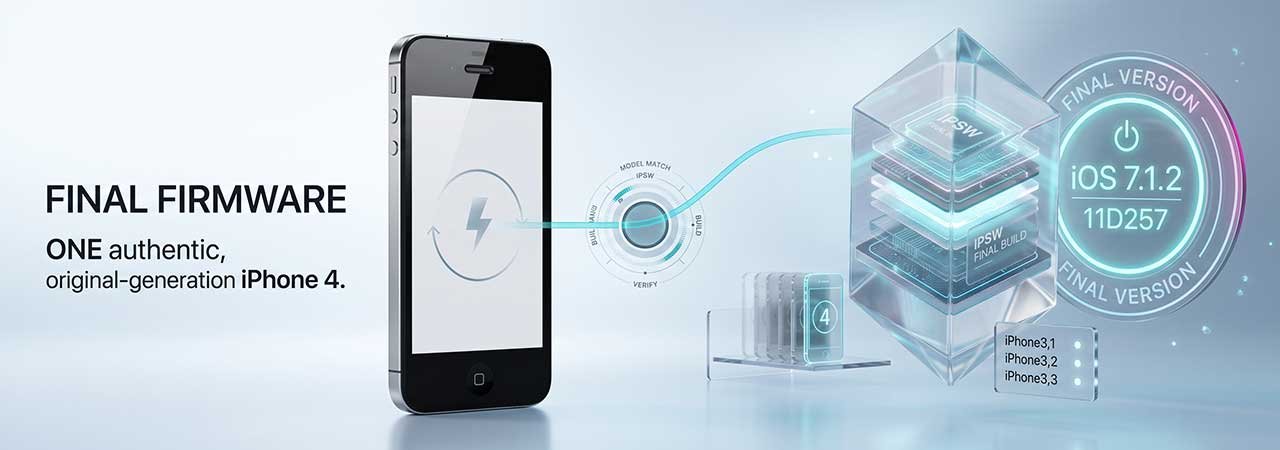
The plain iPhone 4 — not the 4s — has no page on this site, even though its successor does. Here is exactly which final iOS build applies across all three of its hardware variants.
For the device that preceded it, see Original iPhone, iPhone 3G & iPhone 3GS Firmware. For the device that replaced it, see iPhone 4s Firmware. You can browse every model from the iPhone firmware page.
Direct Answer: The last iOS version for the iPhone 4 is iOS 7.1.2 (build 11D257), the same final build across all three hardware identifiers — GSM, the 2012 GSM revision, and CDMA.
iPhone 4 Model Identifiers
| Model identifier | Configuration | Final iOS | Download |
|---|---|---|---|
| iPhone3,1 | GSM | iOS 7.1.2 (11D257) | iPhone3,1 firmware |
| iPhone3,2 | GSM (2012 revision) | iOS 7.1.2 (11D257) | iPhone3,2 firmware |
| iPhone3,3 | CDMA (Verizon) | iOS 7.1.2 (11D257) | iPhone3,3 firmware |
Confirm your identifier at Settings → General → About → Model Number. Unlike some other three-identifier devices on this site, all three iPhone 4 variants share the exact same final build — there's no split by radio configuration here.
The iPhone3,2 Revision, Explained
iPhone3,2 is a mid-2012 hardware revision of the GSM iPhone 4, built after Apple discontinued some components used in the original iPhone3,1. It runs the identical software to iPhone3,1 and reaches the same final build, but it is a distinct identifier — confirm which one your device reports before downloading, since the files are not always interchangeable across a component-level hardware revision even when the final iOS matches.
What EOL Means for the iPhone 4
- A genuine 32-bit problem: the iPhone 4 uses Apple's A4 chip, the same chip family as the original iPad. Apple removed 32-bit app support from the App Store years ago, so the overwhelming majority of current apps cannot install regardless of iOS version.
- Security patching ended in 2014: iOS 7.1.2 was the final release for this device. No further updates followed.
- App Store access is largely symbolic: the client may still load, but almost nothing current can be installed from it.
- Realistic use case: a restored iPhone 4 functions as a basic phone, an offline media player, or a device for older, already-installed apps.
Currently Signed Build (Verify Live)
Because the iPhone 4 reached end-of-life in 2014, iOS 7.1.2 has remained the only signed option across all three identifiers for years and is unlikely to change. Confirm current status on your identifier's device page before restoring — see how to check IPSW signing status.
Restoring an iPhone 4 Using an IPSW File
- Back up any data you need — restoring erases the device.
- Download the IPSW matching your exact identifier (iPhone3,1, iPhone3,2, or iPhone3,3). Confirm it is signed.
- Disable Find My iPhone: Settings → iCloud → Find My iPhone → Off, the pre-iOS-10.3 menu location.
- Connect the iPhone to a Mac or PC using its 30-pin dock connector cable — the iPhone 4 predates Lightning, which arrived with the iPhone 5.
- Open iTunes on an older macOS installation or on Windows; devices this old generally require iTunes rather than Finder or the Apple Devices app.
- Hold Option (Mac) or Shift (Windows), click Restore iPhone, and select the downloaded IPSW file.
If the device gets stuck during restore, see Boot Loop Fix: Recover Without Losing Data for DFU-mode recovery steps.
For the device before it, see Original iPhone, 3G & 3GS Firmware. For the device after it, see iPhone 4s Firmware. You can also browse every model from the iPhone firmware page.
FAQ
What is the last iOS version for the iPhone 4?
iOS 7.1.2 (build 11D257), the same final build across all three identifiers: iPhone3,1 (GSM), iPhone3,2 (GSM, 2012 revision), and iPhone3,3 (CDMA).
What is the difference between iPhone3,1 and iPhone3,2?
iPhone3,2 is a mid-2012 hardware revision of the GSM iPhone 4, built after some original components were discontinued. Both run identical software and reach the same final iOS version, but they remain distinct identifiers.
Can I install iOS 8 on an iPhone 4?
No. The iPhone 4's A4 chip is not supported by iOS 8 or any later version. This is a permanent hardware limitation.
Does the iPhone 4 have a 32-bit app problem?
Yes. The A4 chip predates Apple's 64-bit transition, and Apple removed 32-bit app support from the App Store years ago, so the overwhelming majority of current apps cannot install on an iPhone 4 regardless of iOS version.
What is my iPhone 4's model identifier?
Check Settings → General → About → Model Number, or match your model to iPhone3,1 (GSM), iPhone3,2 (GSM, 2012 revision), or iPhone3,3 (CDMA).


