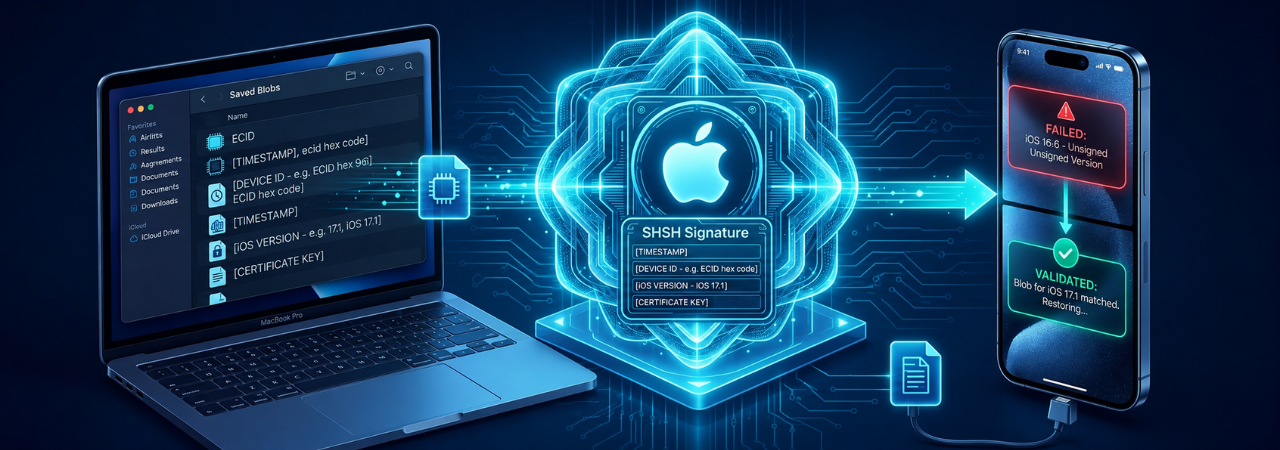
If you work around iPhone restore, downgrade, or unsigned IPSW workflows long enough, you eventually run into the same question: what exactly are SHSH blobs, and why do advanced users care so much about them? The short answer is that SHSH blobs are part of Apple's firmware authorization system. They are not IPSW files, not backups, and not a magic downgrade key by themselves.
For IPSW.io readers, the real value of understanding SHSH blobs is practical: they explain why one restore works instantly in Finder or Apple Devices, while another fails with "device isn't eligible," Error 3194, or a futurerestore dead end. They also explain why saved blobs can matter for unsigned firmware — but only under narrow conditions on modern devices.
Direct answer: SHSH blobs are device-specific authorization signatures tied to Apple's firmware signing process. They matter because Apple does not allow every iPhone or iPad to restore any iOS version at any time. In advanced downgrade workflows, saved blobs can help replay restore authorization for an unsigned build — but on modern devices they are only one part of a much stricter compatibility chain.
What a SHSH Blob Actually Is
At a technical level, SHSH stands for signed hash. The term refers to Apple-generated signatures used during boot and restore verification. In everyday downgrade discussions, "SHSH blobs" usually means the saved authorization data tied to a specific device and firmware version. Apple's signing process uses device-specific information and firmware hashes, which is why a blob from one device cannot simply be reused on another.
SHSH vs SHSH2 vs APTicket
This is where many articles oversimplify the topic.
Older iOS discussions use "SHSH blobs" broadly, but on iOS 5 and newer, the restore-signing system is centered on the APTicket. The APTicket is a newer form of restore authorization that includes nonce-based verification, making restore replay much harder than it was in early iPhone eras. That is why modern users often say "SHSH blobs" even though the underlying restore logic involves SHSH2/APTicket-style signing behavior.
Why blobs are device-specific
Saved blobs are tied to identifiers such as the device's ECID, along with other restore conditions. If those values do not match the device being restored, the boot chain rejects the authorization. In practice, that means:
- you cannot borrow blobs from another iPhone
- you cannot treat blobs as generic downgrade files
- you must match the exact device, target build, and restore context
Why SHSH Blobs Matter
SHSH blobs matter because Apple controls a signing window. In a normal restore, Finder on Mac, the Apple Devices app on Windows, or iTunes on older setups requests authorization from Apple during the restore. If Apple is still signing that build, the restore can proceed. If Apple is no longer signing it, the request fails.
That distinction is the entire reason blob culture exists in the downgrade community. Saved blobs are an attempt to preserve authorization data from a time when Apple was still signing the target firmware. For advanced workflows, that can make an unsigned restore theoretically possible. But "possible" is not the same as "easy," and on modern hardware it definitely does not mean "guaranteed."
SHSH blobs are not the firmware file
An IPSW is the firmware package. A blob is restore authorization data. They solve different problems:
| Item | What it is | What it does | Is it enough by itself? |
|---|---|---|---|
| IPSW | Apple firmware package | Contains the software build to install | No |
| Signed restore | Apple authorizes the restore live | Lets standard restore proceed | Yes, if the build is still signed |
| SHSH blob / SHSH2 / APTicket data | Saved authorization data | May support advanced unsigned restore workflows | No |
This distinction prevents a common mistake: downloading an unsigned IPSW and assuming a saved blob automatically makes it restorable.
When SHSH Blobs Help — and When They Do Not
When this works
SHSH blobs can matter when all of the following are true:
- the target firmware is no longer signed
- you saved valid blobs for that exact device
- your restore tooling supports the workflow
- nonce, SEP, and baseband requirements are satisfied
- your device generation still has a workable path for the needed restore method
When this won't work
Blobs usually will not save you if:
- you never saved them while the target build was signable
- the blob belongs to a different ECID/device
- the required nonce does not match
- SEP or baseband compatibility is broken
- you are on a newer device without a practical way to set or use the needed nonce state
⚠️ Warning: On modern iPhones, "I have blobs" is not the same as "I can downgrade." The bottleneck is often compatibility, not whether a .shsh2 file exists.
What you lose
Advanced restore attempts can cost you:
- time spent validating nonce and compatibility
- the simplicity of Apple's supported restore workflow
- user data if you must do a clean restore
- stability if you force an unsuitable preserve-data path during downgrade
The futurerestore documentation specifically warns that using update/preserve-data style logic during downgrades can lead to issues such as a corrupted /var and recovery loops.
What happens next
If blobs are valid and your compatibility chain holds, the next step is usually an advanced unsigned restore workflow such as futurerestore — not a standard Finder or Apple Devices restore. If the target build is still signed, blobs are usually irrelevant because the normal Apple authorization path already exists.
Requirements Before You Start
For advanced readers, this is the part most general explainers miss: the blob is just one dependency in a larger restore matrix.
Core requirements checklist
- Exact device identifier confirmed
- Correct target IPSW confirmed
- Valid blob saved for that exact device and target build
- APNonce / boot nonce path understood
- SEP compatibility checked
- Baseband compatibility checked where applicable
- Restore tool and OS environment prepared
- Backup completed before any destructive action
- Realistic expectation that unsigned restore may still fail
Compatibility table
| Requirement | Why it matters | Failure result |
|---|---|---|
| Exact device match | SHSH blobs are tied to device-specific data such as ECID | Restore authorization rejected |
| Valid target blob | Blob must match the target firmware/build context | Unsigned restore cannot proceed |
| Nonce alignment | Modern restore tickets depend on nonce matching | Restore fails verification |
| Compatible SEP | Secure Enclave firmware must work with target restore path | Restore failure or broken boot chain |
| Compatible baseband | Cellular devices may require compatible signed baseband | Restore failure |
| Practical nonce method | Needed especially in advanced modern workflows | Blob cannot be used effectively |
Advanced device reality
For A12 and newer devices, nonce handling becomes more restrictive because the boot nonce is further randomized through UID-key entangling. The Apple Wiki notes that these newer devices generally require a jailbreak to set the needed boot nonce in advanced workflows. That is one of the main reasons modern blob-based downgrades are narrower than older-era tutorials suggest.
Edge case: Wi‑Fi iPads and no baseband
Not every Apple device has the same dependency set. Wi‑Fi-only iPads and iPod touch models do not use a cellular baseband in the same way, which can simplify one part of the compatibility chain. But it does not remove nonce or signing constraints.
SHSH Blobs vs Normal Restore Workflows
Most readers do not need SHSH blobs. Apple's current supported restore workflow is straightforward:
- use Finder on Mac
- use the Apple Devices app on Windows
- use iTunes only on older Windows/macOS setups where applicable
- choose Restore if needed, understanding that restore reinstalls the OS and erases the device
That means blobs are not part of the normal consumer workflow for updating to the latest release, restoring a still-signed public build, leaving beta for a stable build that Apple is still signing, or standard recovery-mode repair.
Scenario comparison
| Scenario | Do SHSH blobs matter? | Best path |
|---|---|---|
| Restore latest iOS/iPadOS | No | Finder / Apple Devices / iTunes |
| Return from beta to a still-signed stable release | Usually no | Signed IPSW restore |
| Fix a mainstream restore issue | Usually no | Check signing, cable, USB, network, recovery mode |
| Restore unsigned firmware for research/jailbreak reasons | Yes, potentially | Advanced unsigned workflow with compatibility checks |
This is the strategic point for IPSW.io: signing status comes first, blobs second.
Common Mistakes Advanced Users Make
1. Confusing signed firmware with saved blobs
If Apple is still signing the build, you generally do not need blobs. The restore software can request authorization from Apple directly.
2. Assuming blobs guarantee a downgrade
They do not. SEP, baseband, nonce, and device-generation realities still decide whether the restore is viable.
3. Ignoring nonce requirements
The nonce inside the restore authorization must match what the device expects. If it does not, the restore fails even if the blob file looks correct.
4. Treating Error 3194 as proof that blobs are missing
Apple groups Error 3194 with cases where the requested build is not eligible or the computer cannot properly connect to Apple's update and verification servers. That means the first fix is usually signing/server/network validation, not hunting for blobs.
5. Treating 4013 or 4014 as blob problems
Apple's restore documentation points 4013 and 4014 toward update/retry, USB connection, cable, port, or computer-level troubleshooting — not SHSH-specific logic.
6. Preserving data during a downgrade without understanding the risk
futurerestore's documented warning about preserve-data style downgrades exists for a reason: it can create instability and recovery loops.
SHSH Blobs, Recovery Mode, and Real-World Restore Failures
If a device is already stuck, start with Apple's supported recovery path before you assume you need advanced downgrade tooling. Apple says recovery mode is the right path when the device shows the connect-to-computer screen, is not recognized properly, or cannot update normally. Choosing Restore in recovery mode reinstalls iOS and erases data.
That matters because many blob-related searches are really misdiagnosed restore issues:
- a cable problem becomes "unsigned firmware confusion"
- a network block becomes Error 3194 panic
- a bad build selection becomes "I need SHSH blobs right now"
Diagnose in this order:
- Is the build still signed?
- Is the IPSW correct for the exact device identifier?
- Is this a standard restore problem instead of a downgrade problem?
- If unsigned, do I actually have valid blobs and compatible restore conditions?
Why This Topic Still Matters in 2026
SHSH blobs remain relevant because they sit at the intersection of four high-intent Apple firmware questions:
- Why can't I install any iOS version I want?
- Why does Apple decide what is restorable?
- Why do unsigned IPSWs exist if they are not normally installable?
- Why do advanced downgrade guides still mention blobs, nonce, and futurerestore?
The answer to all four is the same: Apple's restore ecosystem is authorization-driven, not file-driven. Possessing an IPSW is not enough. Having a blob is not always enough. The restore must still satisfy the device's security and compatibility rules.
Conclusion
SHSH blobs matter because they explain the boundary between a normal Apple restore and an advanced unsigned restore. They are device-specific restore authorization artifacts, not a universal downgrade unlock. For older workflows they were central; for modern ones they are still important, but only as one piece of a larger system involving APTickets, nonce matching, SEP compatibility, baseband compatibility, and restore-tool support.
For most IPSW.io readers, the correct move is still to check whether Apple is signing the build and use a normal signed IPSW workflow. But for the advanced downgrade audience, understanding SHSH blobs is essential — because they define what may be possible, what definitely is not, and why many restore attempts fail long before the IPSW file is the real issue.
Frequently Asked Questions
1. What are SHSH blobs?
SHSH blobs are device-specific authorization signatures tied to Apple firmware restore requests. On modern iOS, they are closely tied to APTicket-based verification and nonce matching.
2. Are SHSH blobs unique to each iPhone or iPad?
Yes. They are tied to device-specific values such as ECID, so blobs from one device cannot be used on another.
3. Do I need SHSH blobs to restore a signed IPSW?
No. If Apple is still signing the build, Finder, Apple Devices, or iTunes can request authorization directly during restore.
4. Can SHSH blobs downgrade any iPhone to any iOS version?
No. Saved blobs alone are not enough. Modern downgrades may also require nonce matching, SEP compatibility, baseband compatibility, and device-specific restore paths.
5. What is the difference between SHSH blobs and APTickets?
APTickets are the newer restore-signing mechanism used by iOS 5 and later. Many users still casually say "SHSH blobs" even when referring to newer APTicket-style authorization data.
6. Can I save SHSH blobs after Apple stops signing a version?
Usually not for standard workflows. In general, blobs need to be saved while Apple is still signing the target build.
7. Why do SHSH blobs not guarantee a successful downgrade?
Because the restore must also satisfy nonce, SEP, and baseband conditions. A valid blob file does not override incompatible firmware components.
8. Does futurerestore still matter?
Yes, but only for advanced unsigned restore cases. It is not part of Apple's normal restore workflow.
9. Is Error 3194 a SHSH blob problem?
Not always. Apple says Error 3194 can also mean the computer cannot reach Apple's update servers correctly or the requested build is not eligible.
10. Are Error 4013 and 4014 related to blobs?
Usually no. Apple points those errors toward update/retry, USB connection, cable, USB port, computer, or hardware-level troubleshooting.
11. Do I need Recovery Mode or DFU Mode for SHSH blob workflows?
Sometimes advanced restores use deeper recovery states, but many mainstream issues should start with Apple's standard recovery-mode workflow first.
12. Are SHSH blobs useful for leaving an iOS beta?
Usually not if Apple is still signing the stable public build. In that case, a signed IPSW workflow is the simpler path.


