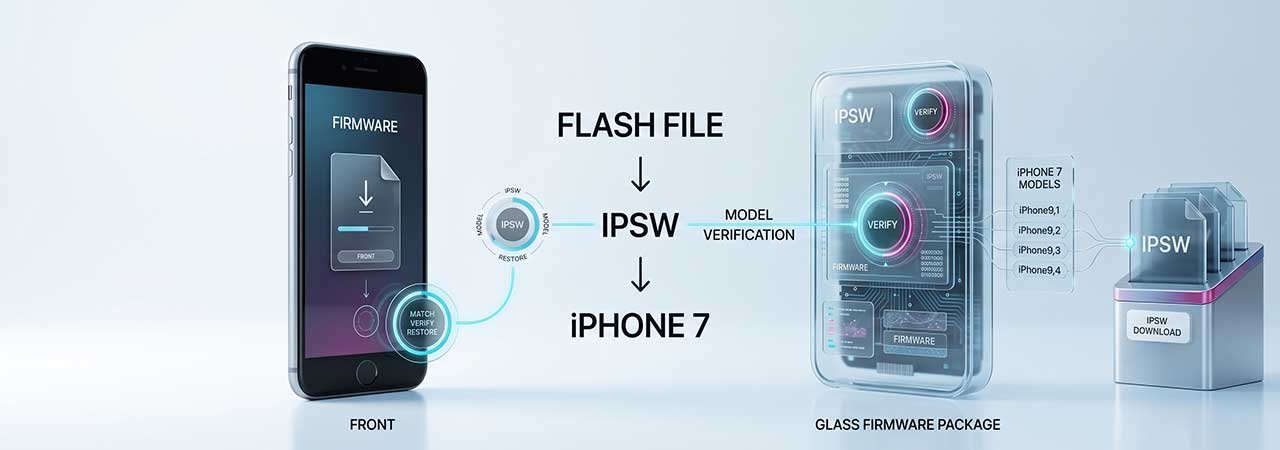
If you're searching "iPhone 7 flash file" you're most likely coming from Android, where flashing means writing a ROM or partition image with a tool like Odin or SP Flash Tool. The iPhone has no direct equivalent. What you actually want is the IPSW for your exact iPhone 7 — and the process that uses it is called a restore, not a flash. This page explains the difference and points you to the right file.
For what "flash file" means as a term across platforms, see the iPhone Flash File explainer. This page covers what's specific to the iPhone 7 and iPhone 7 Plus. You can browse every model from the iPhone firmware page.
Direct Answer: The iPhone 7 "flash file" is its IPSW firmware file. All four iPhone 7 and 7 Plus identifiers end at iOS 15.8.8 (build 19H422), and you install it with a restore through Finder, the Apple Devices app, or iTunes.
iPhone 7 Identifiers — Which File You Actually Need
| Model | Identifier | Radio | Final iOS | Download |
|---|---|---|---|---|
| iPhone 7 | iPhone9,1 | Global / CDMA | iOS 15.8.8 (19H422) | iPhone9,1 IPSW files |
| iPhone 7 | iPhone9,3 | GSM | iOS 15.8.8 (19H422) | iPhone9,3 IPSW files |
| iPhone 7 Plus | iPhone9,2 | Global / CDMA | iOS 15.8.8 (19H422) | iPhone9,2 IPSW files |
| iPhone 7 Plus | iPhone9,4 | GSM | iOS 15.8.8 (19H422) | iPhone9,4 IPSW files |
The iPhone 7 family ships in two radio variants per size, and the IPSW files are not interchangeable between them. Check Settings → General → About → Model Number to confirm which identifier you have before downloading. The iPhone 7 has reached end-of-life at iOS 15.8.8, so that build is the permanent ceiling. For full identifier details and end-of-life notes, see the iPhone 7 Firmware guide.
What Android "Flashing" Habits Get Wrong on iPhone
If you've flashed an Android phone before, a few assumptions carry over that don't apply here.
There's no partition-level flashing
Android tools write individual partitions — boot, recovery, system — separately, and you can often flash just one. An IPSW restore on an iPhone 7 replaces the entire firmware image as a single operation. There is no way to flash only the boot partition.
The file must be signed by Apple, checked live
An Android ROM, once downloaded, generally installs no matter what the manufacturer's servers say. An iPhone 7 restore contacts Apple's servers during the process and only proceeds if that exact build is currently signed for your identifier. With the iPhone 7 at end-of-life there is effectively one signed target, iOS 15.8.8. To check status yourself, see how to check IPSW signing status.
There's no custom recovery
Android has TWRP and similar custom recoveries that accept arbitrary flashable zips. On the iPhone 7, Recovery Mode and DFU Mode are Apple-controlled states that accept only a signed IPSW through official restore software. Neither is a general-purpose flashing environment.
You can't arbitrarily downgrade
Flashing an older Android ROM is usually a matter of finding the file. On the iPhone 7, older builds are no longer signed, so a restore to them is rejected by Apple's servers.
How to Restore an iPhone 7
- Back up your data — a restore erases the device.
- Turn off Find My: Settings → your name → Find My → Find My iPhone → Off.
- Connect the iPhone 7 to your computer with a Lightning cable.
- Open Finder (recent macOS), the Apple Devices app, or iTunes and select the iPhone.
- Hold Option (Mac) or Shift (Windows), click Restore iPhone, and select the IPSW matching your exact identifier from the table above.
If the device is unresponsive, put it into Recovery Mode first. For the complete walkthrough, see the iPhone 7 Firmware guide, or browse every model from the iPhone firmware page. The same explanation for another model is in the iPhone 8 flash file guide.
iPhone 7 Flash File FAQ
Is there an iPhone 7 flash file like there is for Android?
Not in the same sense. The closest equivalent is the IPSW file for your exact identifier (iPhone9,1, iPhone9,3, iPhone9,2, or iPhone9,4), but the process differs: whole-firmware only, signed and verified live by Apple, with no partition-level flashing.
Can I flash just one part of my iPhone 7, like Android's partition flashing?
No. An IPSW restore replaces the entire firmware image as one operation. No supported tool flashes an individual partition on an iPhone.
What is the final iOS version for the iPhone 7?
iOS 15.8.8 (build 19H422) on every iPhone 7 and iPhone 7 Plus identifier. It is the permanent final version.
Do I need a custom recovery to flash my iPhone 7?
No. The iPhone 7 has no custom recovery equivalent. Recovery Mode and DFU Mode accept signed IPSW files only.
Can I downgrade my iPhone 7 by flashing an older file?
Not in practice. Apple signs only the final build for this end-of-life device, so older files are rejected during the restore.


