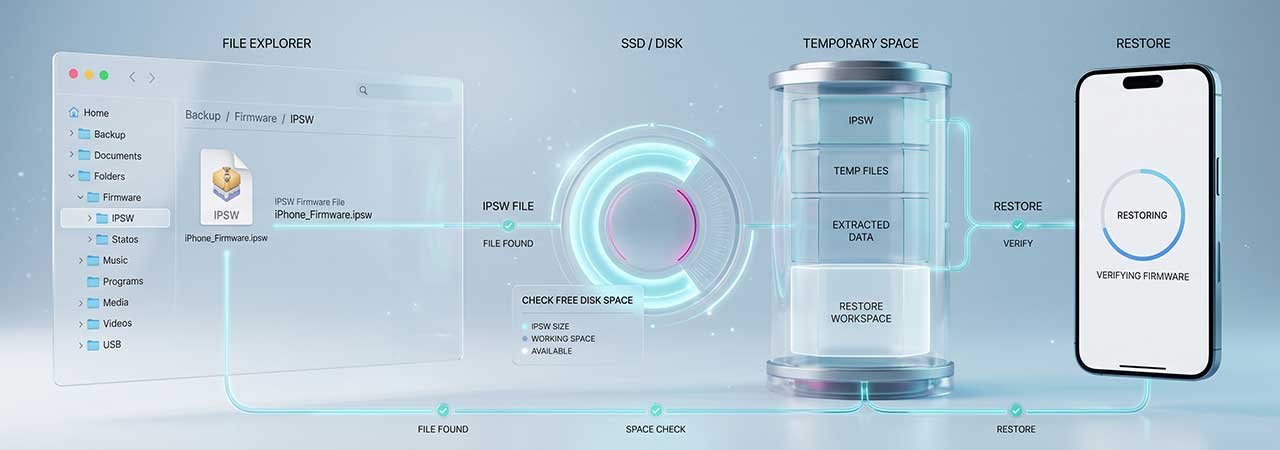
Two questions come up constantly before and after a restore, and neither is well documented: how much free space the computer needs, and where the IPSW file goes once it has been downloaded. The second matters more than people expect, because those files are large, they accumulate, and most people never discover them.
Direct Answer: Your computer needs room for the IPSW itself (several gigabytes, growing with each iOS generation) plus room for any device backup made during the process — and a restore can temporarily hold two copies of a backup at once. Finder, iTunes and the Apple Devices app cache downloaded IPSWs in a hidden folder inside your user library, and those cached files are safe to delete.
How Much Space You Actually Need
There are two separate demands, and people usually plan for only the first.
- The firmware file. A current iPhone IPSW runs to roughly 8–12 GB, and they have grown steadily with each release. If the restore software is downloading it for you, that space has to be free before it starts.
- The backup. If you back up to the computer as part of the process, that consumes space in proportion to what is on the device — and the restore flow may archive the existing backup set before writing a new one, briefly holding two copies. Plan for roughly double your backup size if you want to be safe.
Low disk space is a common cause of a restore failing partway, and it can present as a vague failure rather than a clear out-of-space message. If a restore is failing for no obvious reason, checking free space is a cheap thing to rule out. For what a backup does and does not preserve, see IPSW restore and backups: what you can keep.
Where Downloaded IPSW Files Are Stored
When the restore software downloads firmware for you, it keeps a copy. Those paths are inside hidden or per-user library folders, which is why they are rarely stumbled upon.
| Platform | Typical location |
|---|---|
| macOS | Inside your user Library, under a per-device folder for iPhone, iPad or iPod software updates. The Library folder is hidden by default — in Finder, use Go → Go to Folder, or hold Option while opening the Go menu. |
| Windows | Under your user profile in AppData → Roaming → Apple Computer, in a software-updates folder named for the device type. AppData is hidden unless you enable hidden items in File Explorer. |
Backups live somewhere different again — on Windows, under Apple Computer → MobileSync → Backup. Deleting a cached firmware file does not touch your backups, and deleting a backup does not touch cached firmware. They are separate things in separate folders, which is worth knowing before you start clearing space.
Can You Delete Cached IPSW Files?
Yes. A cached IPSW is just a copy of a file Apple hosts; deleting it frees the space immediately and breaks nothing. The only consequence is that the next restore will download the firmware again, which takes time and needs that space free once more.
Two caveats worth knowing. First, if you are on a slow or metered connection, keeping the current file saves re-downloading several gigabytes. Second, an old cached IPSW for a build Apple no longer signs cannot be installed anyway — keeping it does not preserve the ability to go back to that version. If that is what you were hoping for, read how to check IPSW signing status first, because the file being on your disk is not the constraint.
Before You Start a Restore
- Check free space on the drive holding your user folder, not just the drive with the most room. These files go to fixed locations inside your user library.
- Allow for the firmware plus roughly double your backup size.
- If space is tight, clear old cached IPSWs first — they are usually the largest easy win.
- If you downloaded the firmware yourself rather than letting the software fetch it, verify it before restoring with an IPSW checksum check. A part-downloaded file caused by a full disk is a common route to a failed restore.
Firmware for every model is listed on the iPhone firmware page. For what the file itself contains, see What Is an IPSW File?.
FAQ
How much free space do I need to restore an iPhone?
Enough for the IPSW itself — currently around 8–12 GB for a recent iPhone — plus space for any computer backup made during the process. Because the restore flow can briefly hold two copies of a backup, allow roughly double your backup size on top of the firmware.
Where does iTunes or Finder store downloaded IPSW files?
In a hidden per-user library folder: inside your user Library on macOS, and under AppData → Roaming → Apple Computer on Windows, in a software-updates folder named for the device type. Both parent folders are hidden by default.
Is it safe to delete cached IPSW files?
Yes. They are copies of files Apple hosts, and deleting them frees space without breaking anything. The next restore will simply download the firmware again.
Will deleting IPSW files delete my backups?
No. Cached firmware and device backups live in separate folders. Deleting one does not affect the other.
Does keeping an old IPSW let me go back to that iOS version later?
No. Installing any build requires Apple to still be signing it. Once the signing window closes, holding the file on your disk does not make it installable.
Can low disk space cause a restore to fail?
Yes, and it does not always announce itself clearly — a restore can fail partway with a vague error. If a restore keeps failing for no obvious reason, free space is worth checking early.


