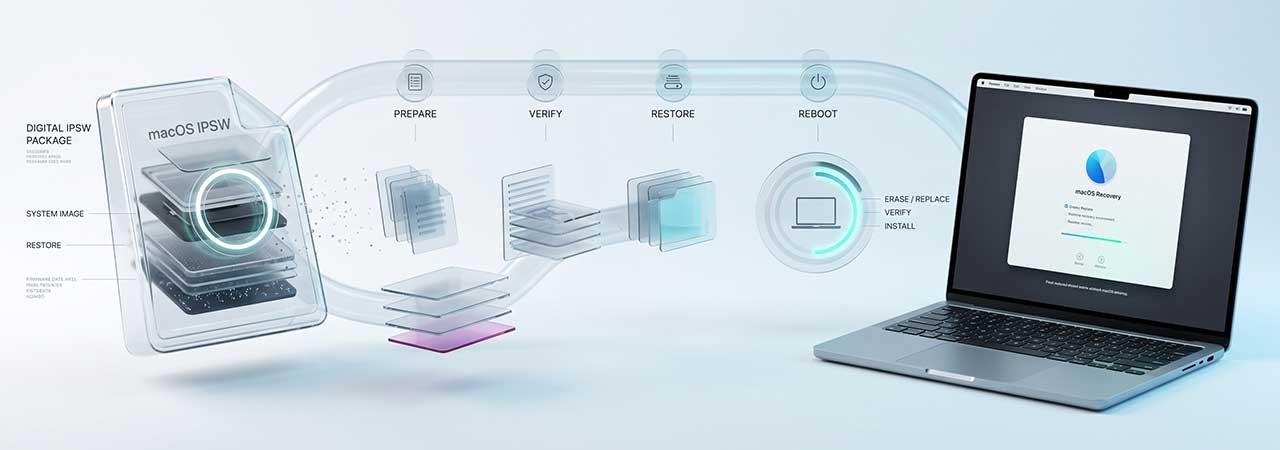
There are three ways to put macOS back on a Mac, and they are not interchangeable. An IPSW restore, Erase All Content and Settings, and a reinstall from macOS Recovery all leave you with a working Mac — but they touch different things, and only one of them rebuilds the parts of the disk that the other two leave alone.
For the step-by-step DFU procedure on Apple Silicon, see Apple Silicon Mac DFU Restore; for Intel machines with a T2 chip, see T2 Intel Mac Firmware Restore. Firmware for every model is on the Mac firmware page.
Direct Answer: A macOS IPSW is an erase-and-restore file, not an update. It reinstalls the firmware, refreshes recoveryOS, and erases internal storage before installing macOS. You cannot use one to update a working Mac in place, and you cannot use one to install macOS without erasing the disk.
An IPSW Is Not an Update
This is the most common misunderstanding, and it is worth stating plainly: there is no way to apply a macOS IPSW as an update to a running system. The file exists to rebuild a Mac from the firmware upward, which necessarily means erasing what is already there. If your Mac boots and you simply want a newer macOS, you use Software Update or an installer from the App Store — not an IPSW.
The same file is also what Apple Configurator pushes during a revive or restore, which is why IPSWs turn up in recovery discussions far more often than in upgrade ones. For what the file format actually contains, see What Is an IPSW File?.
The Three Methods, Compared
| IPSW restore (DFU) | Erase All Content and Settings | Reinstall from macOS Recovery | |
|---|---|---|---|
| Reinstalls firmware | Yes | No | No |
| Rebuilds recoveryOS | Yes | No | No |
| Erases your data | Yes | Yes | No (reinstall over the top) |
| Needs a second Mac | Yes | No | No |
| Works on a Mac that will not boot | Yes | No | Sometimes |
| Chooses the macOS version | Yes — whichever IPSW you supply | No | No — see below |
The Part Most Guides Miss: Hidden Recovery Volumes
A Mac’s internal disk holds more than the volume you can see in Finder. Alongside your data there are hidden containers holding recoveryOS and related system pieces. Erase All Content and Settings and a plain Recovery reinstall both leave those hidden volumes as they are — they rebuild the visible system, not the scaffolding around it.
A full IPSW restore is the only one of the three that replaces them. That is exactly why it is the right tool when the symptom is not “macOS is broken” but “the Mac will not get far enough to run macOS” — a failed firmware update, a corrupt recovery partition, or a machine that will not leave a boot loop. If your recovery environment itself is damaged, reinstalling from that same damaged recovery environment is unlikely to help.
Recovery Reinstalls a Version You May Not Expect
On Apple Silicon, macOS Recovery installs the version it believes was most recently installed on that disk, rather than the newest release. If the disk has been erased, that information is gone, and the Mac can fall back to the version it originally shipped with. This surprises people who erase a Mac expecting to land on the current macOS and instead find themselves several versions back, facing a long chain of updates.
An IPSW restore sidesteps that, because the version is determined by the file you supply — which is the main practical reason to reach for one when you want a specific macOS version rather than whatever Recovery decides to offer.
Which One You Actually Want
- Selling or handing on a working Mac: Erase All Content and Settings. Fastest, no second machine, and it clears your data and Apple Account.
- macOS is misbehaving but the Mac boots: reinstall from macOS Recovery. It leaves your files in place.
- The Mac will not boot, the firmware is suspect, or recovery itself is broken: IPSW restore via DFU. This is the only option that rebuilds firmware and recoveryOS.
- You need one specific macOS version: IPSW restore, because you choose the file.
Whichever you choose, verify the file before a restore if you downloaded it yourself — see how to verify an IPSW checksum.
Before You Restore
- Back up. An IPSW restore erases internal storage and the data is not recoverable afterwards.
- Check you have a second Mac and a USB-C cable that carries data and charge — not a Thunderbolt 3 cable.
- Confirm which chip your Mac has, because the procedure and the end state differ. Apple Silicon finishes at Setup Assistant; a T2 Intel Mac finishes at macOS Recovery, where you install macOS yourself.
- Allow time and keep both machines powered throughout.
FAQ
Can I use a macOS IPSW to update my Mac instead of restoring it?
No. A macOS IPSW performs an erase-and-restore. There is no supported way to apply one as an in-place update — use Software Update or an App Store installer for that.
What is the difference between an IPSW restore and Erase All Content and Settings?
Both erase your data, but an IPSW restore also reinstalls the firmware and rebuilds the hidden recoveryOS volumes, and it requires a second Mac and DFU mode. Erase All Content and Settings runs on the Mac itself and leaves firmware and recovery volumes untouched.
Does reinstalling from macOS Recovery erase my files?
No. A reinstall from Recovery installs macOS over the existing system and leaves your data in place. That also means it does not fix a damaged recovery environment.
Why did macOS Recovery install an old version of macOS?
On Apple Silicon, Recovery installs the version it last recorded as installed on that disk. After an erase, that record is gone and the Mac may fall back to the version it shipped with. An IPSW restore avoids this because you choose the file.
Do I need a second Mac to restore with an IPSW?
Yes. A DFU restore is driven from a host Mac running Apple Configurator or Finder, connected to the target Mac by cable.
Which method rebuilds the hidden recovery volumes?
Only a full IPSW restore. Erase All Content and Settings and a Recovery reinstall both leave the hidden recovery containers as they are.


